Business guide
Create your first offer
An offer is what you propose to influencers: what they get and what they post in return. They read all of it before they apply.
Before you start, be clear on
- Exactly what you offer: dishes or drinks, and for how many people
- What you want them to post, and on which network
- The accounts and hashtags they must tag
To open the form: on the home screen tap your venue, then under Collaborations tap New offer. The form asks seven questions, from top to bottom.
-
Step 1
What do you offer?
Your offer's name and what the influencer gets.
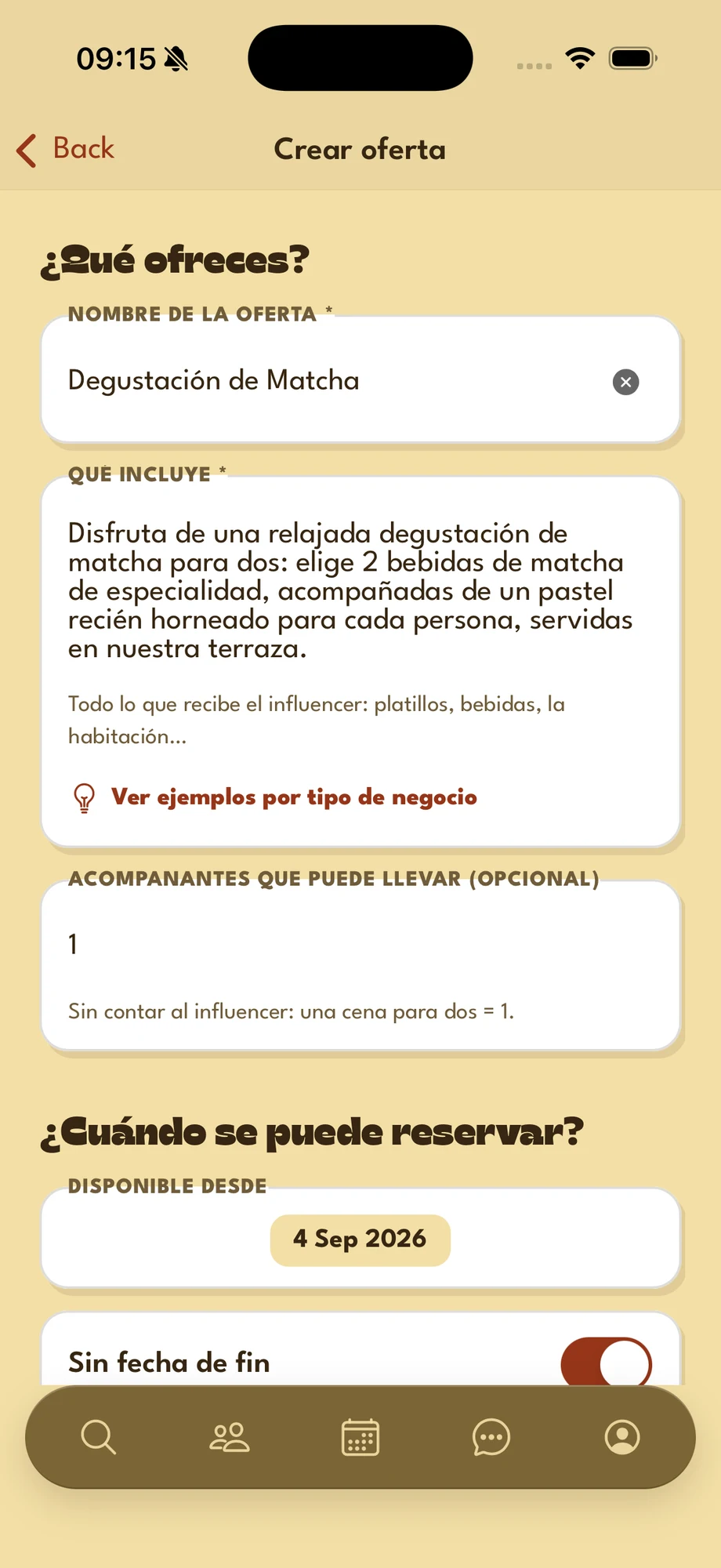
- Offer name — short and specific, 5 to 100 characters. For example, Matcha Tasting.
- What's included — describe exactly what the influencer gets: dishes, drinks, the room… At least 20 characters.
- See examples by type of business — ideas for restaurants, cafés, bars, hotels, spas and more. Use this example copies it into the form for you to adapt.
- Guests they can bring — optional: how many people they may bring, not counting the influencer. A dinner for two = 1.
Example: “Enjoy a relaxed matcha tasting for two: pick 2 specialty matcha drinks, each served with a freshly baked pastry, on our terrace.”
-
Step 2
When can it be booked?
Dates, notice and how many collaborations you offer. The influencer doesn't see these settings: they can only book within them.
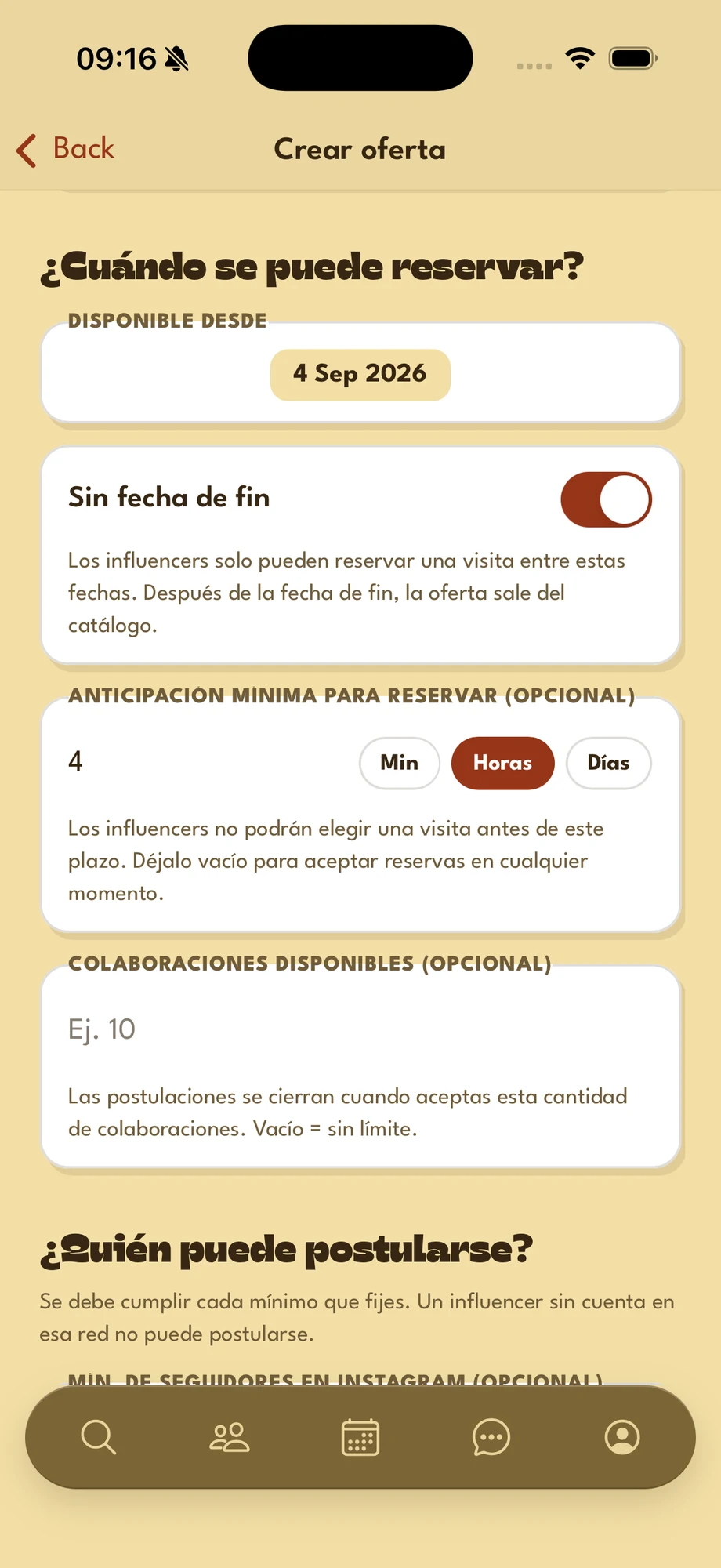
- Available from — the date from which a visit can be booked. Today by default.
- No end date — on by default: the offer doesn't expire.
- Minimum booking notice — optional: a number and Min, Hours or Days. With 2 hours, nobody can book a visit starting less than 2 hours from now. Empty = any time.
- Collaborations available — optional: once you accept that many, the offer stops taking applications. Empty = no limit.
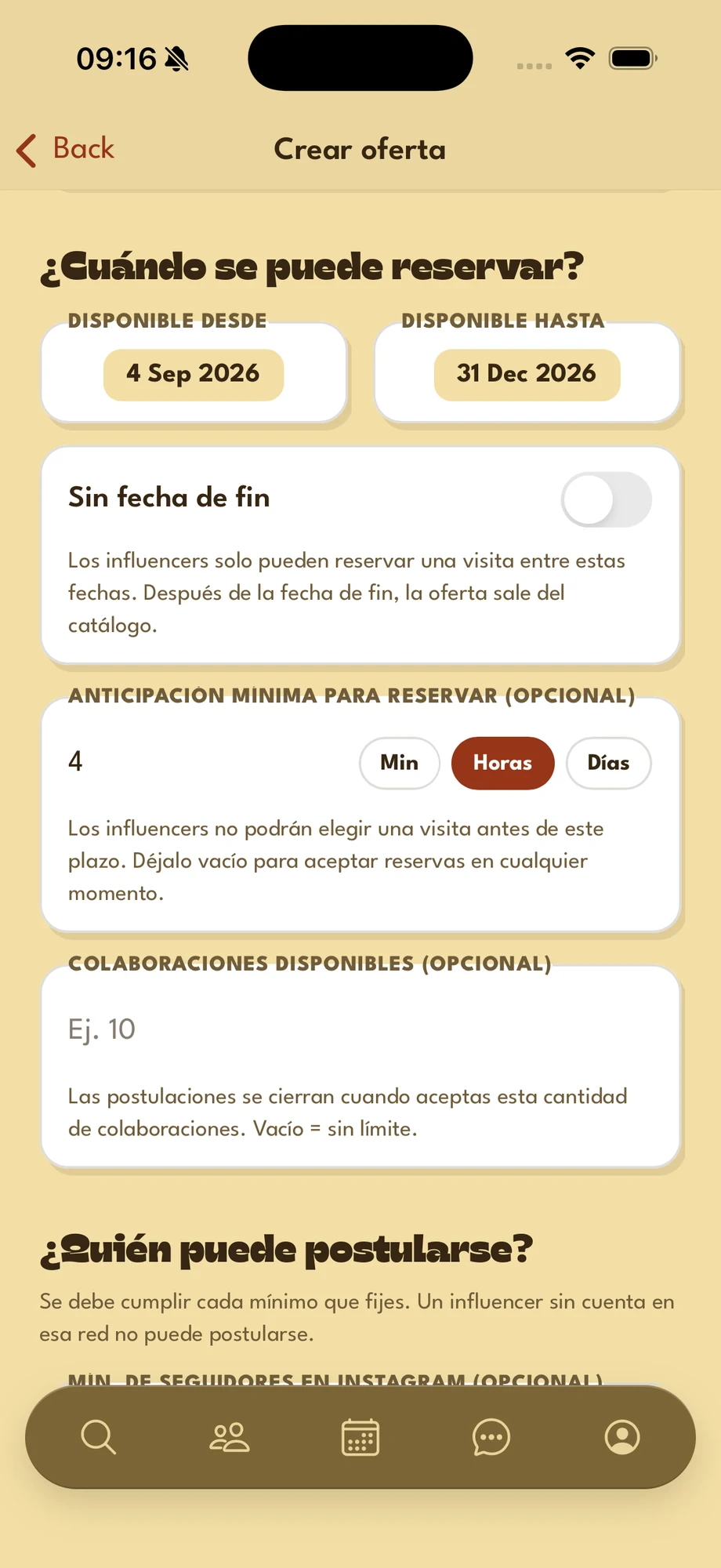
A limited-time offer?
- Turn off No end date: Available until shows up, a month after the start by default.
- Available until — the last day a visit can take place. After it, the offer leaves the catalog.
Times follow your opening hours: influencers can only pick times when you are open, outside your break.
-
Step 3
Who can apply?
A filter on audience.
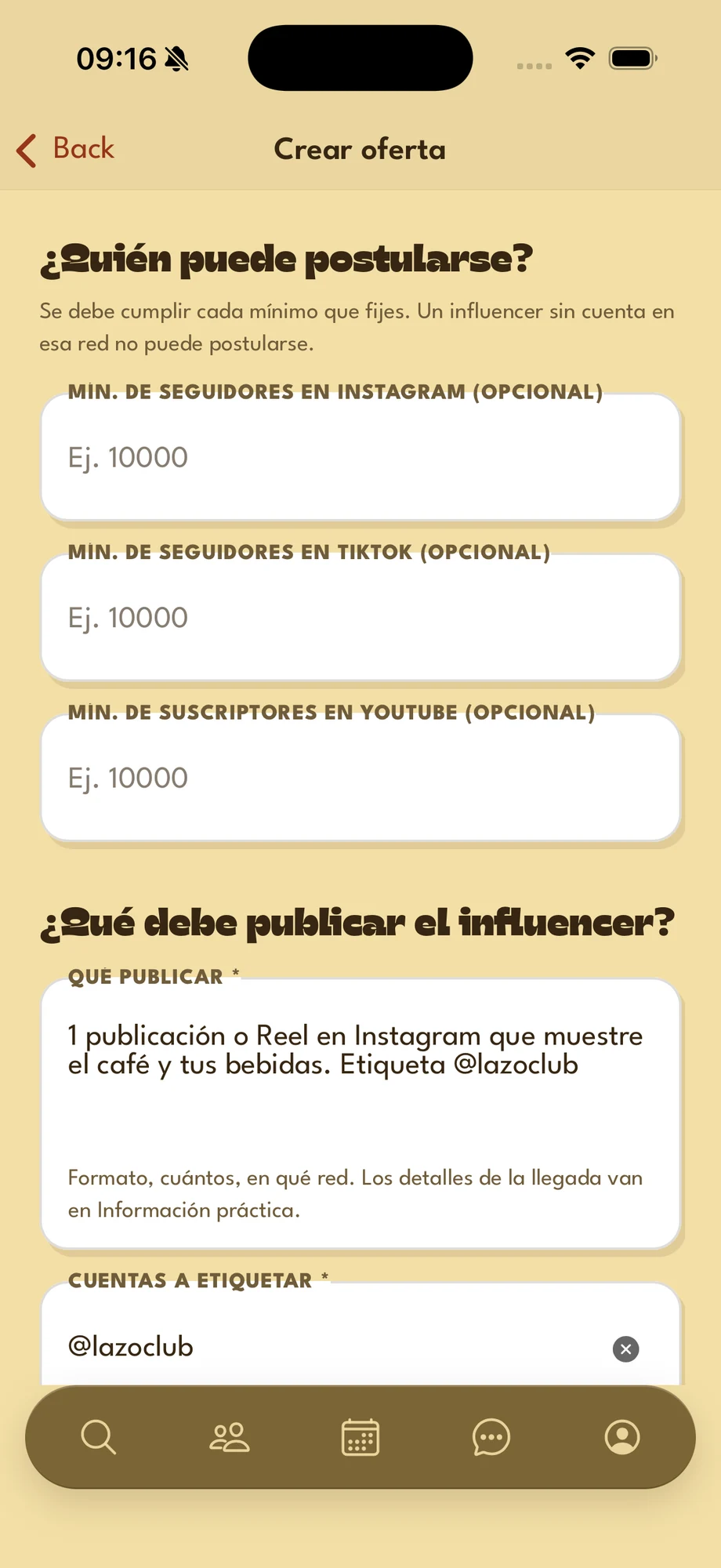
- Min. followers — optional, per network. An influencer below a minimum doesn't see the offer. If you set several, they must meet them all; no account on a network counts as zero.
-
Step 4
What must the influencer post?
The post on their networks, and how you check it.
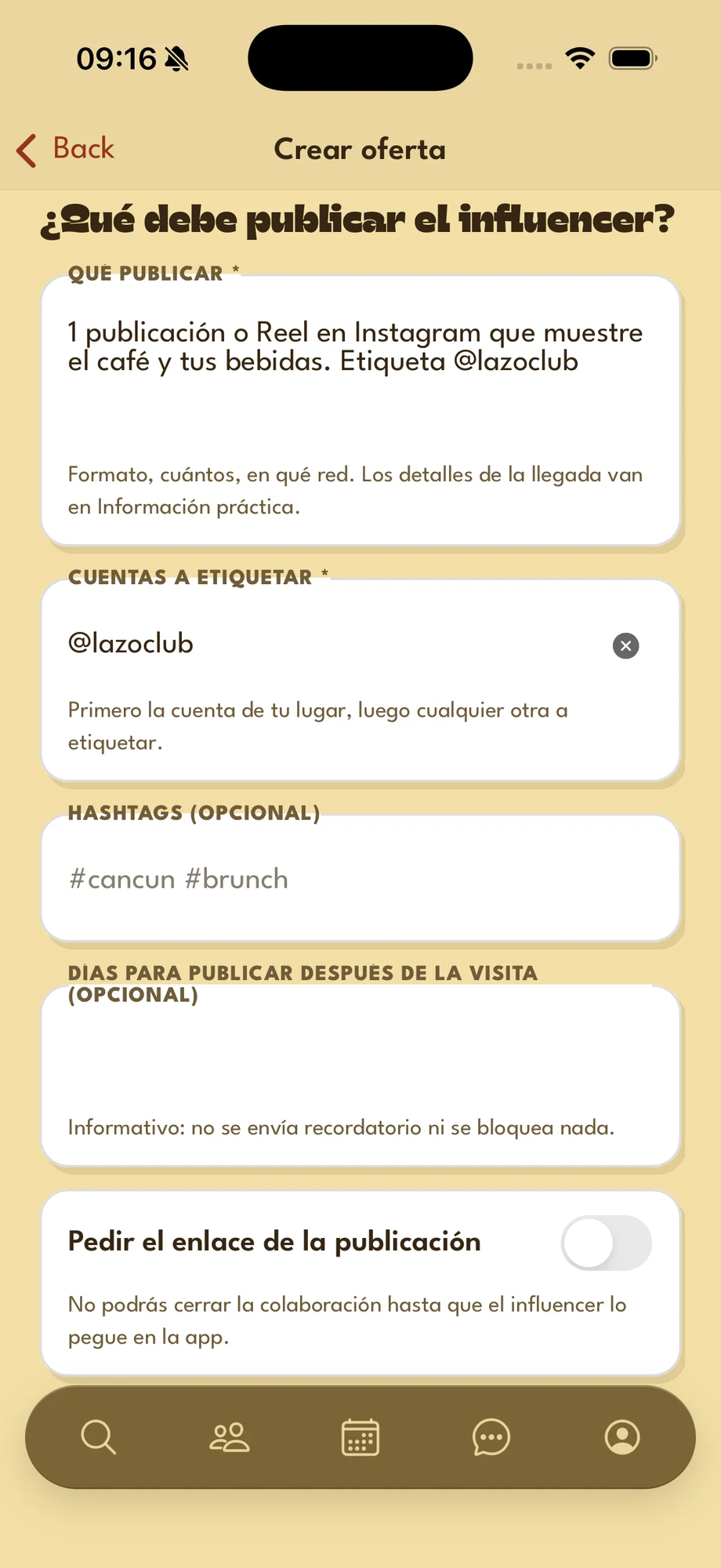
- What to post — format, how many and on which network. For example, 1 Instagram post or Reel. At least 20 characters.
- Accounts to tag — required: your venue's account first, then any other one.
- Hashtags — optional. The influencer copies them one by one with a long press.
- Days to post after the visit — optional and for information: no reminder is sent and nothing is blocked.
- Ask for the link to the post — turned on, you can't close the collaboration until the influencer pastes the link to their post in the app.
-
Step 5
Photos and videos for you
Not the post on their networks (that is step 4), but the files the influencer shares with you in the app.
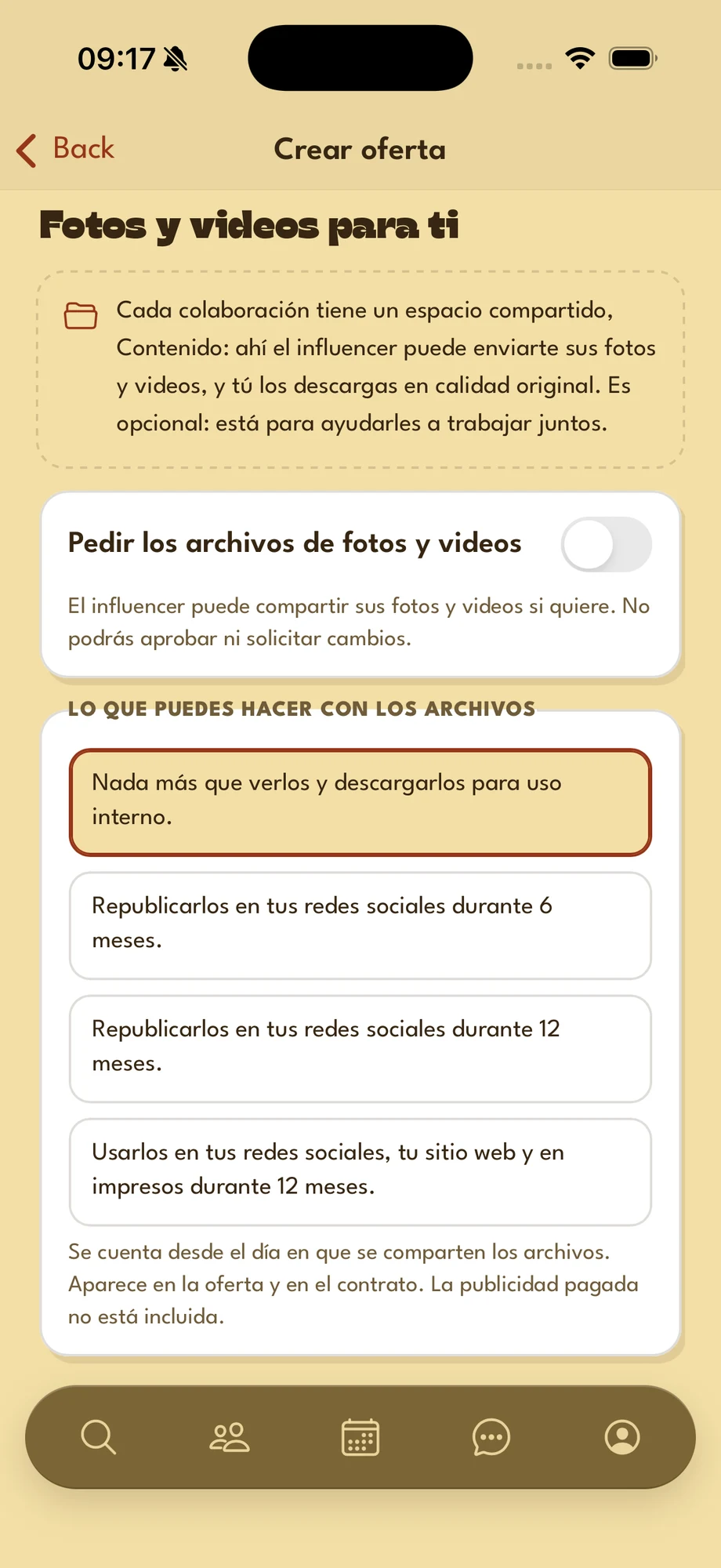
- Work space — every collaboration has a space to share photos and videos. It's optional: it's there to help.
- Ask for the photo and video files — turn it on if you need them: the influencer must share them before you can validate the collaboration, and you can approve them or ask for changes. Delivery deadline shows up (7 days if left empty).
- What you may do with the files — one of four options: internal use only, repost on your social media for 6 or 12 months, or social media, website and print for 12 months. Counted from the day the files are shared.
- Credit the influencer when you repost — on by default: you mention them when you repost.
Usage rights appear on the offer and in the contract. Paid ads are not included.
-
Step 6
Practical info
What is good to know before going. All optional.
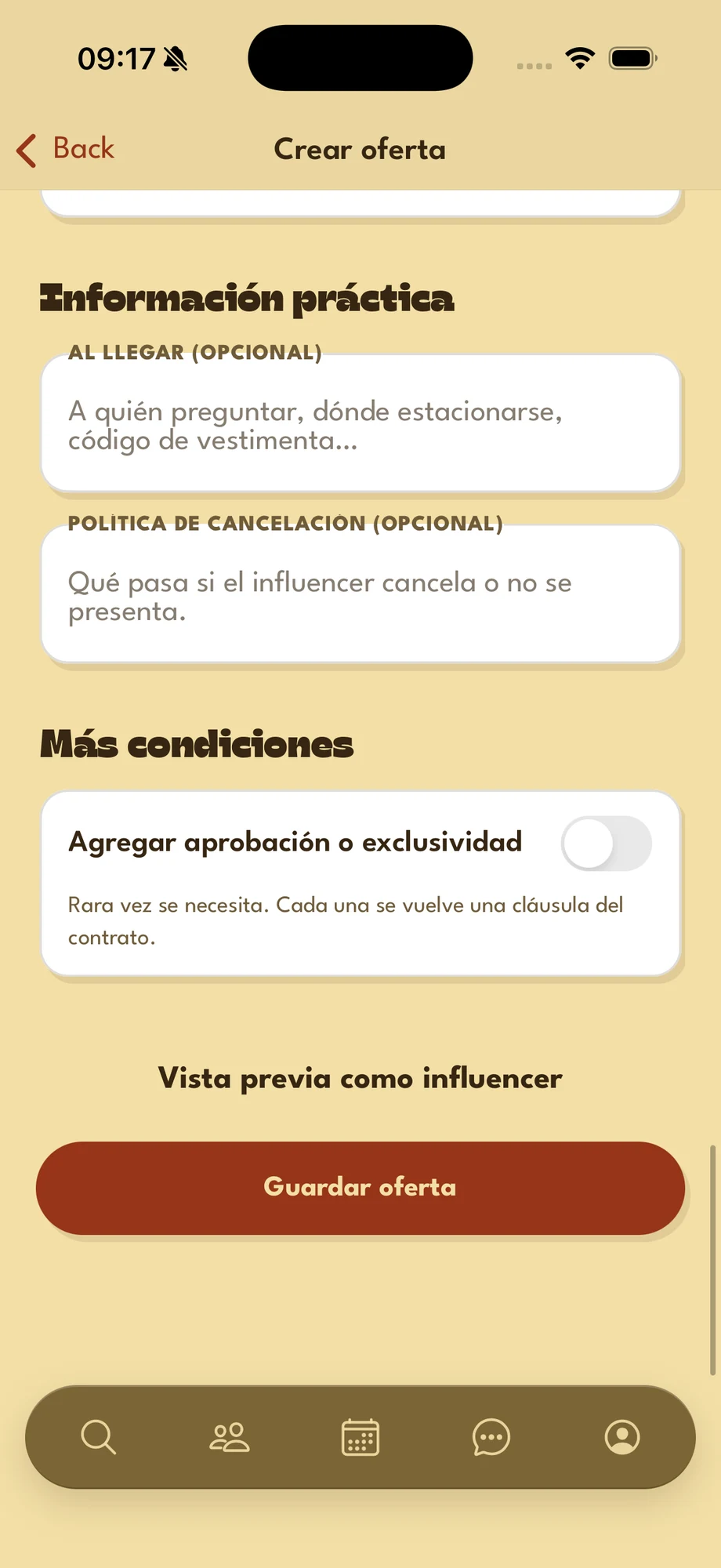
- On arrival — who to ask for, where to park, dress code…
- Cancellation policy — what happens if the influencer cancels or doesn't show up.
Before saving, Preview as the influencer shows the offer the way they will read it. If something is missing, Save offer takes you to the first field to fix.
-
Step 7
More terms
Rarely needed: each one becomes a clause of the contract.
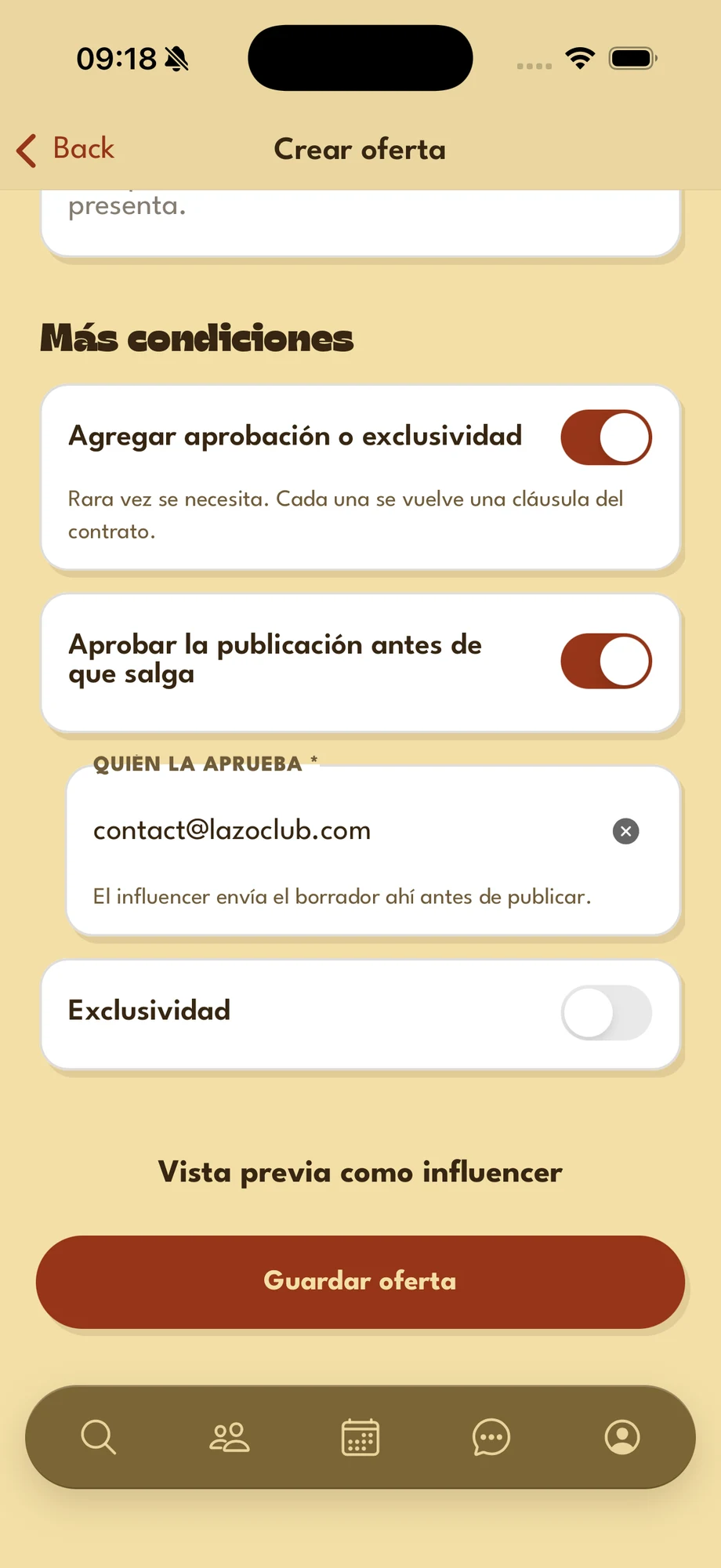
- Add approval or exclusivity terms — turn it on to see both clauses.
- Approve the post before it goes live — the influencer sends you the draft before posting. In Who approves it, write a name, an account or an email.
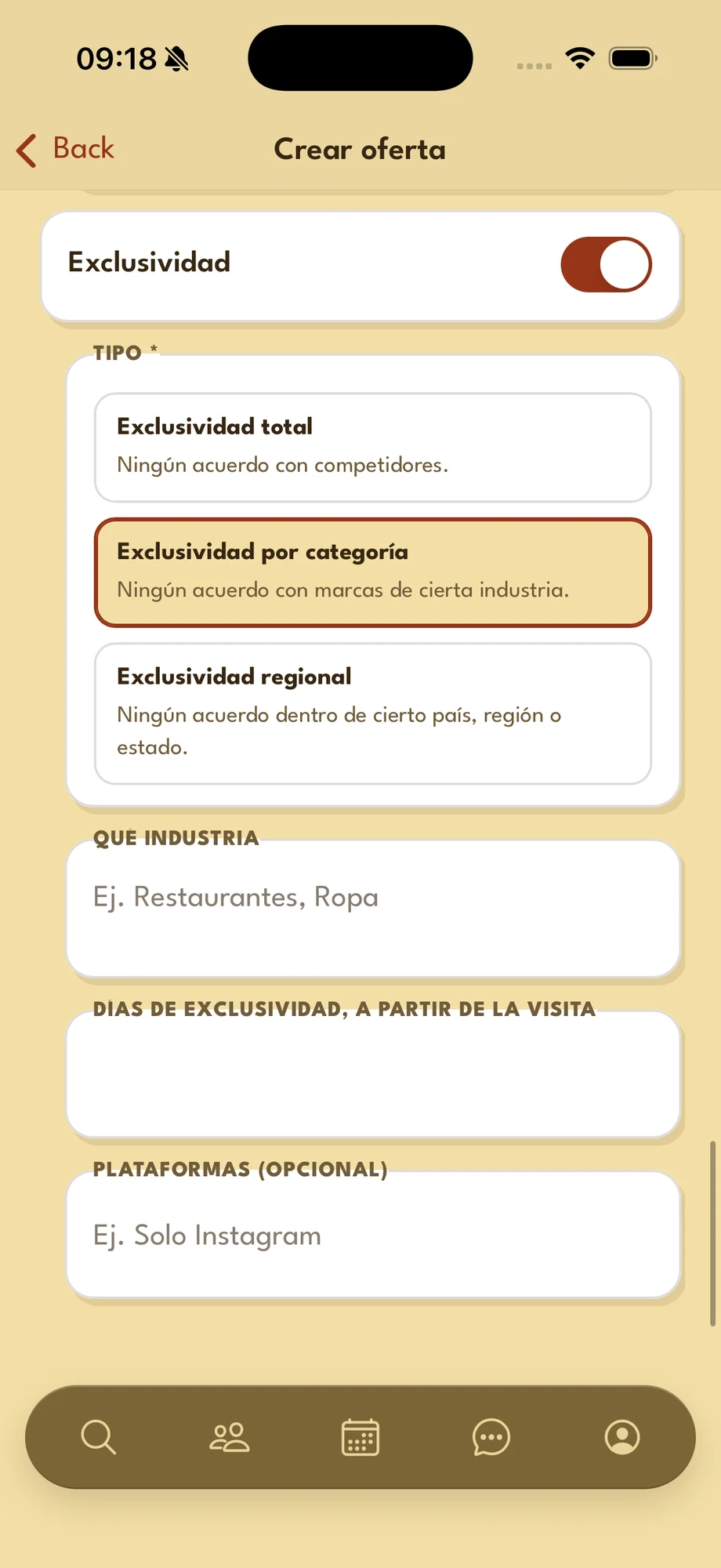
With Exclusivity turned on:
- Type — full (no deals with competitors), category (none with brands of a given industry) or regional (none within a given country, region or state).
- Which industry — the field follows the type: which competitors, which industry or which area.
- Days of exclusivity, from the visit — how long it lasts.
- Platforms — optional: for example, Instagram only.
When you are done, tap Save offer: it shows up on your venue, under Collaborations.