
Business guide
Set up your venue on Lazo Club
Seven steps, about five minutes. Your venue profile is the first thing influencers see before they visit, so every detail counts.
Before you start, have at hand
- Your venue’s name and category
- A short description, two to four sentences
- Your Instagram, TikTok and YouTube usernames
- Your full address with postal code
- Your opening hours
- A good landscape photo of your venue, already saved in your gallery
From step 2 to step 6, the arrow in the top left takes you back to the previous step.
-
Step 1 of 7
Name, service and category
This is how influencers find you in search.
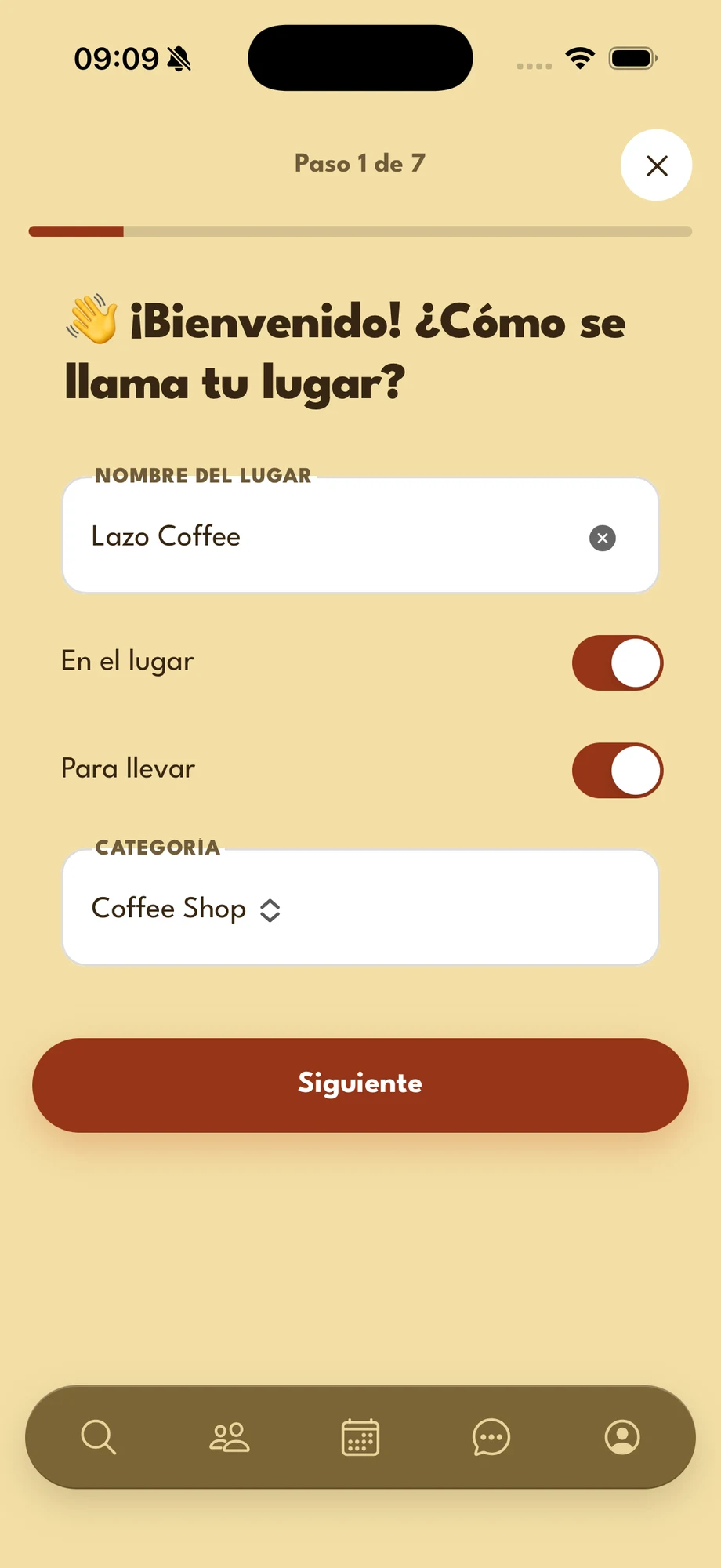
- Venue name — type it exactly as it appears on your sign and your social accounts.
- On site — turn it on if customers can eat or drink at your place.
- Take away — turn it on if you sell to go. You can turn on both.
- Category — tap the field and pick the one that fits you best.
Next turns on once the name and the category are filled in.
-
Step 2 of 7
Describe your venue
Two to four sentences that answer one question: why is it worth coming?
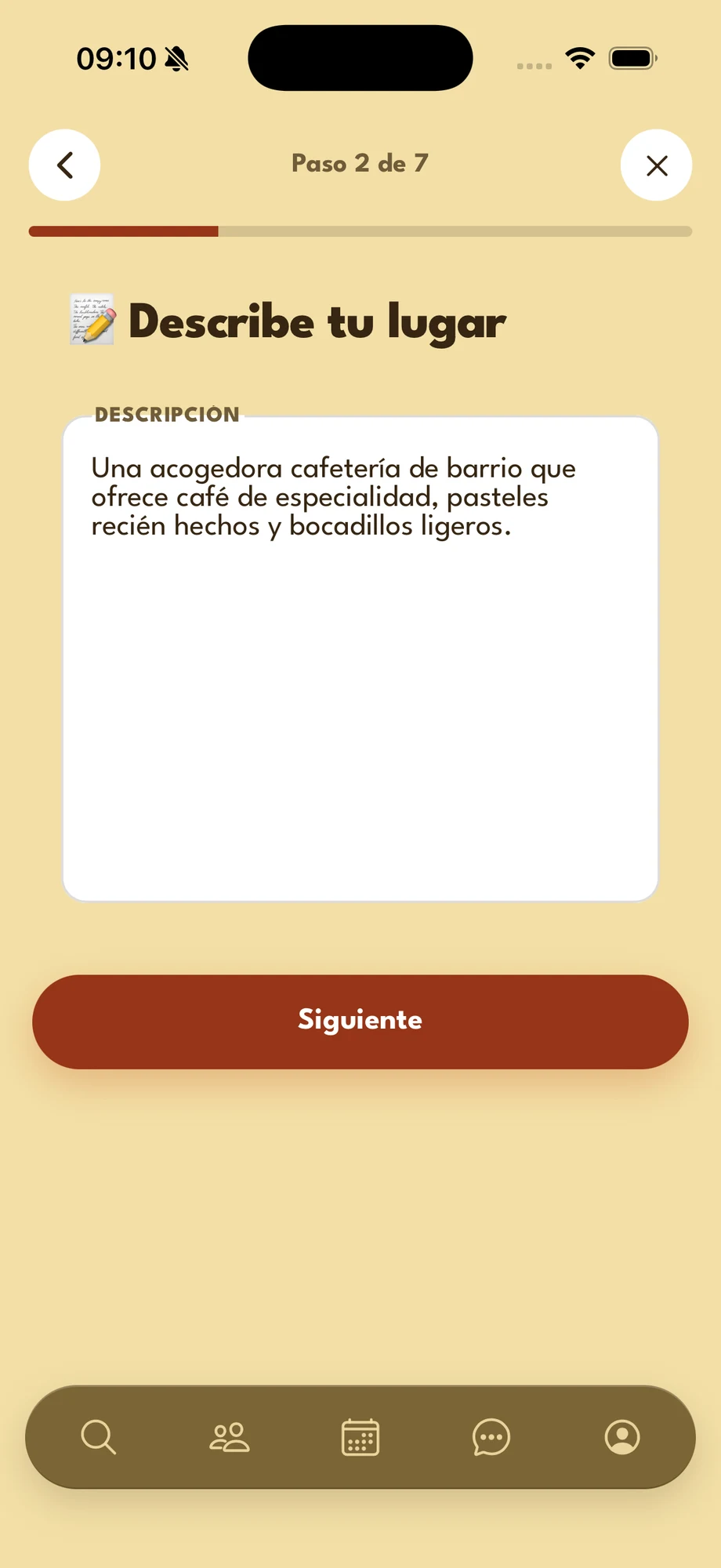
A good description says:
- What you are — neighbourhood café, cocktail bar, family restaurant.
- What makes you different — specialty coffee, a terrace, a sea view, house recipes.
- What is worth a photo — your dishes, the decor, the atmosphere.
Example: “A cosy neighbourhood café serving specialty coffee, fresh-baked pastries and light bites.”
-
Step 3 of 7
Your social accounts
Influencers check your style before they come and tag you when they post.
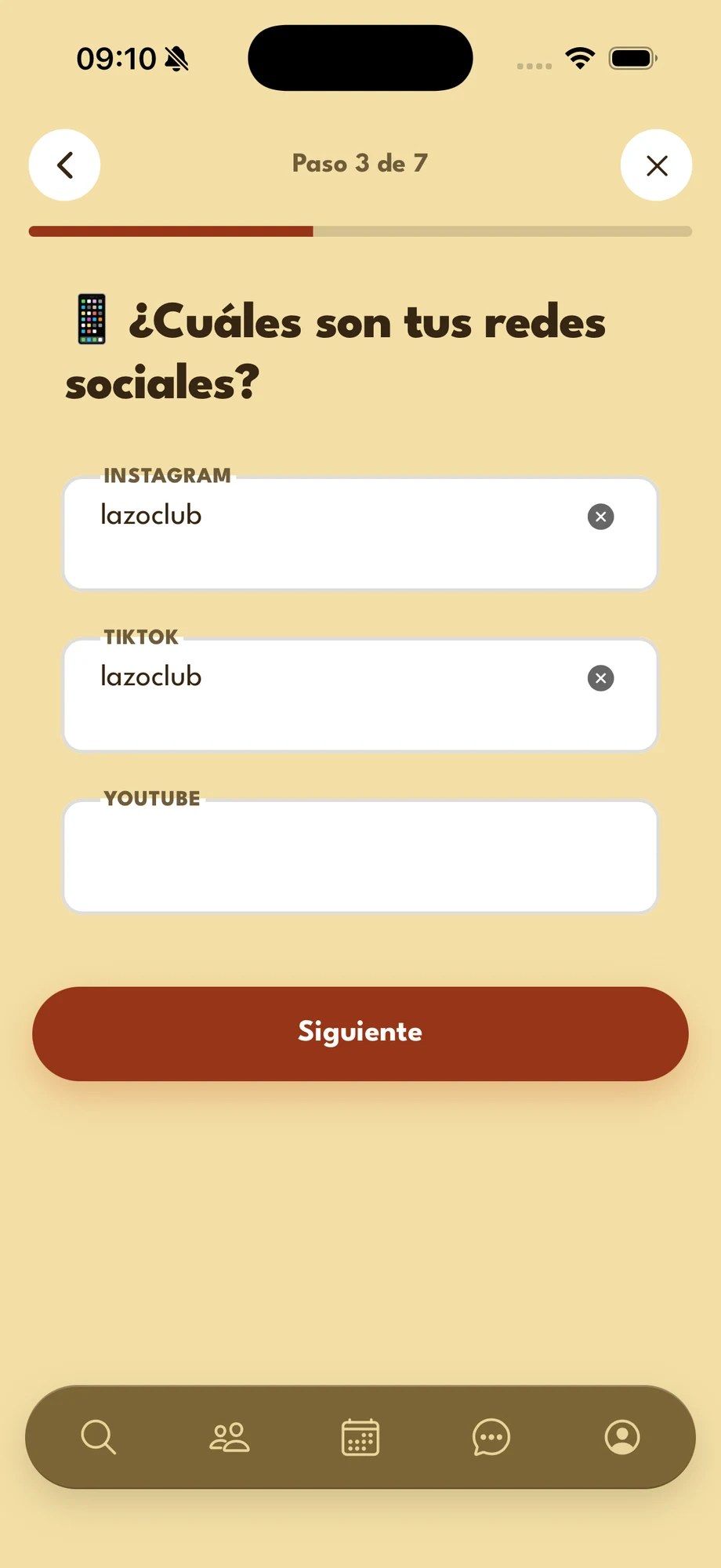
- Type only your username, with no @ and no link: for example, lazoclub.
- Fill in the accounts you use and leave the rest empty: none is required.
Use exactly the username of your public profile, so the tag and the link to your account work.
-
Step 4 of 7
Address and map
The address and the pin tell the influencer exactly where to go. Fields marked * are required.
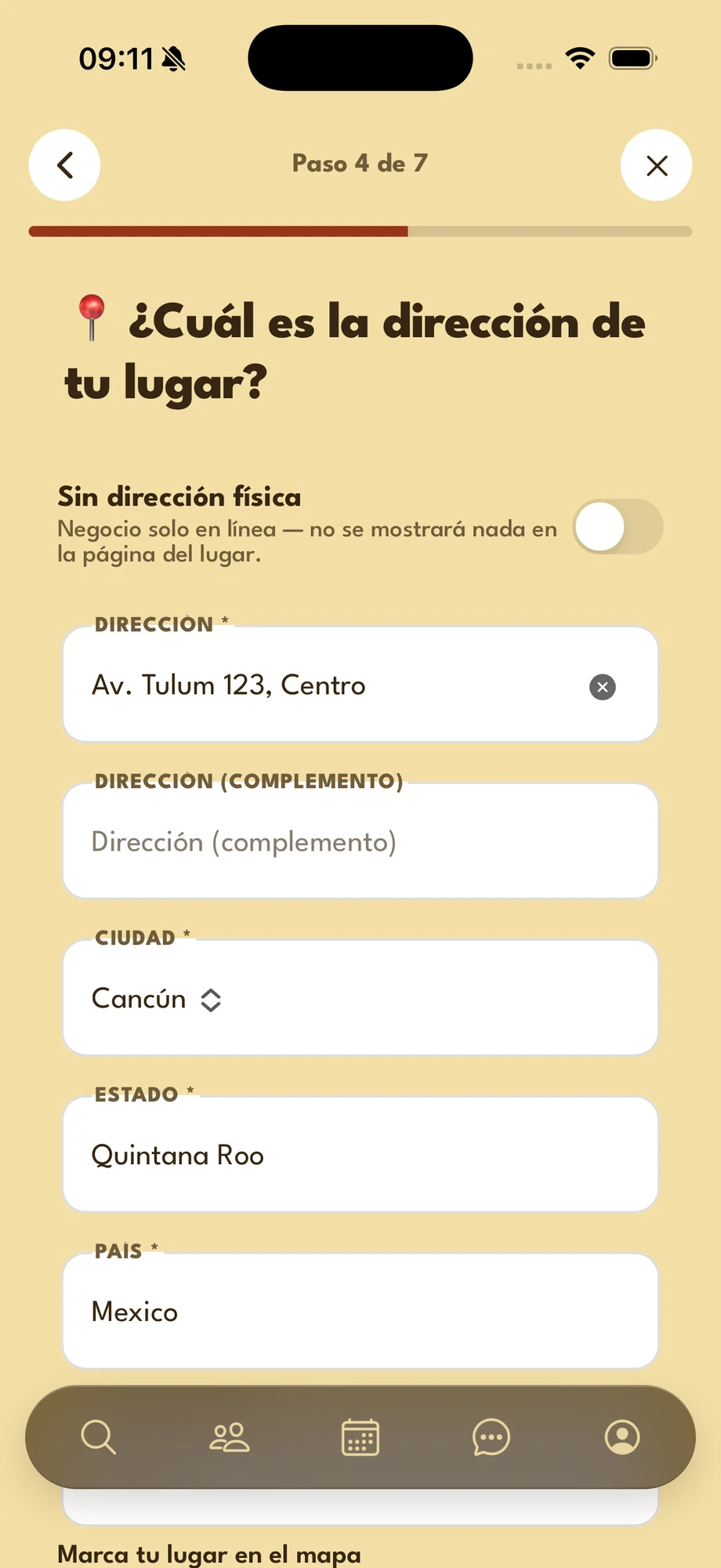
- No physical address — turn it on only if your business is 100% online. The address fields go away and your page shows no address.
- Address — street, number and neighbourhood (colonia).
- Address (complement) — optional: unit, floor or a landmark.
- City — pick it from the list. State and country fill in by themselves.
- Postal code — type it in; the grey number in the field is only an example.
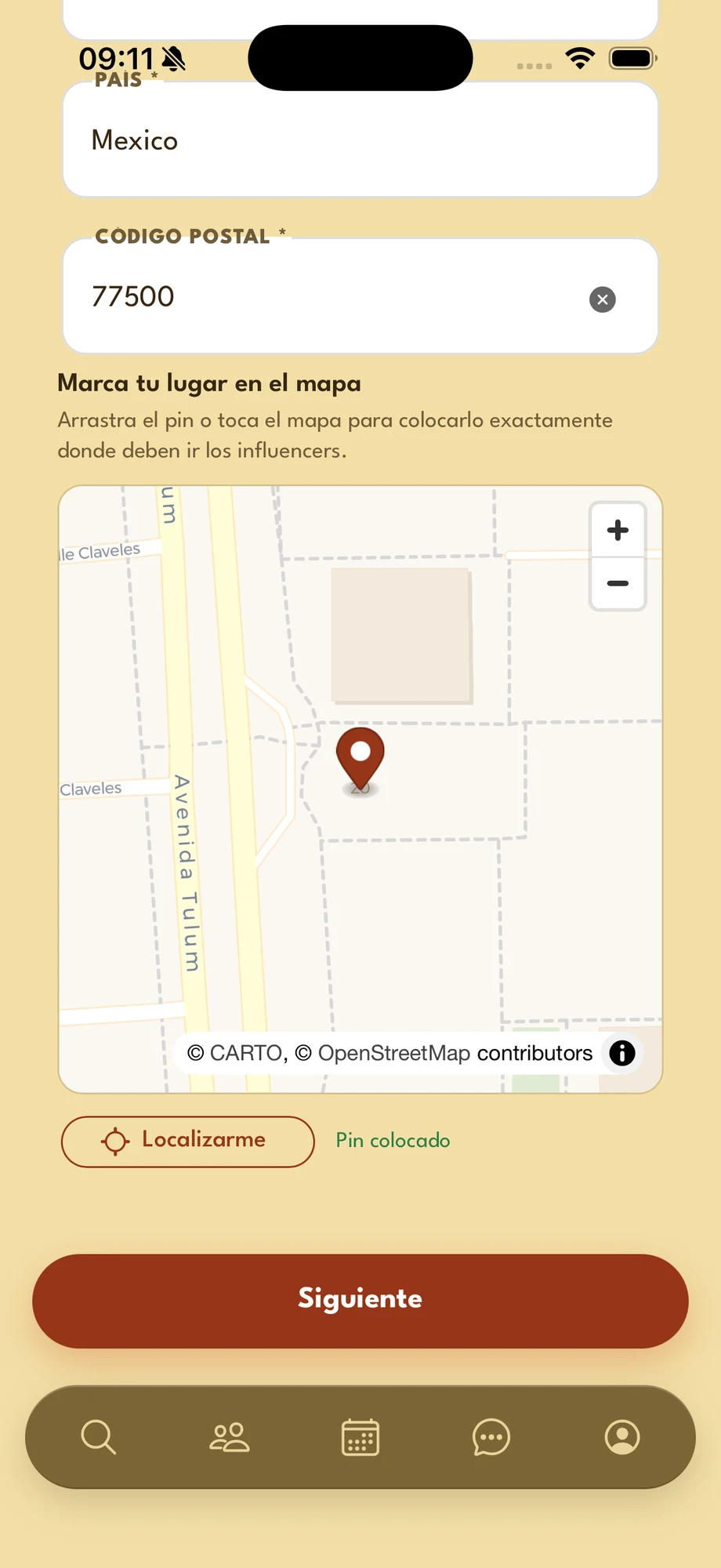
Scroll down to see the map.
- Pin your venue on the map — drag the pin or tap the map to drop it right at your entrance. Influencers navigate to this pin, not to the written address.
- Locate me — if you are at your venue, tap it and the pin moves to where you are.
- Pin placed — this notice confirms the location is set.
Next turns on once every field marked * is filled in and the pin is placed.
-
Step 5 of 7
Opening hours
Your hours show on your venue page, so influencers know when to come.
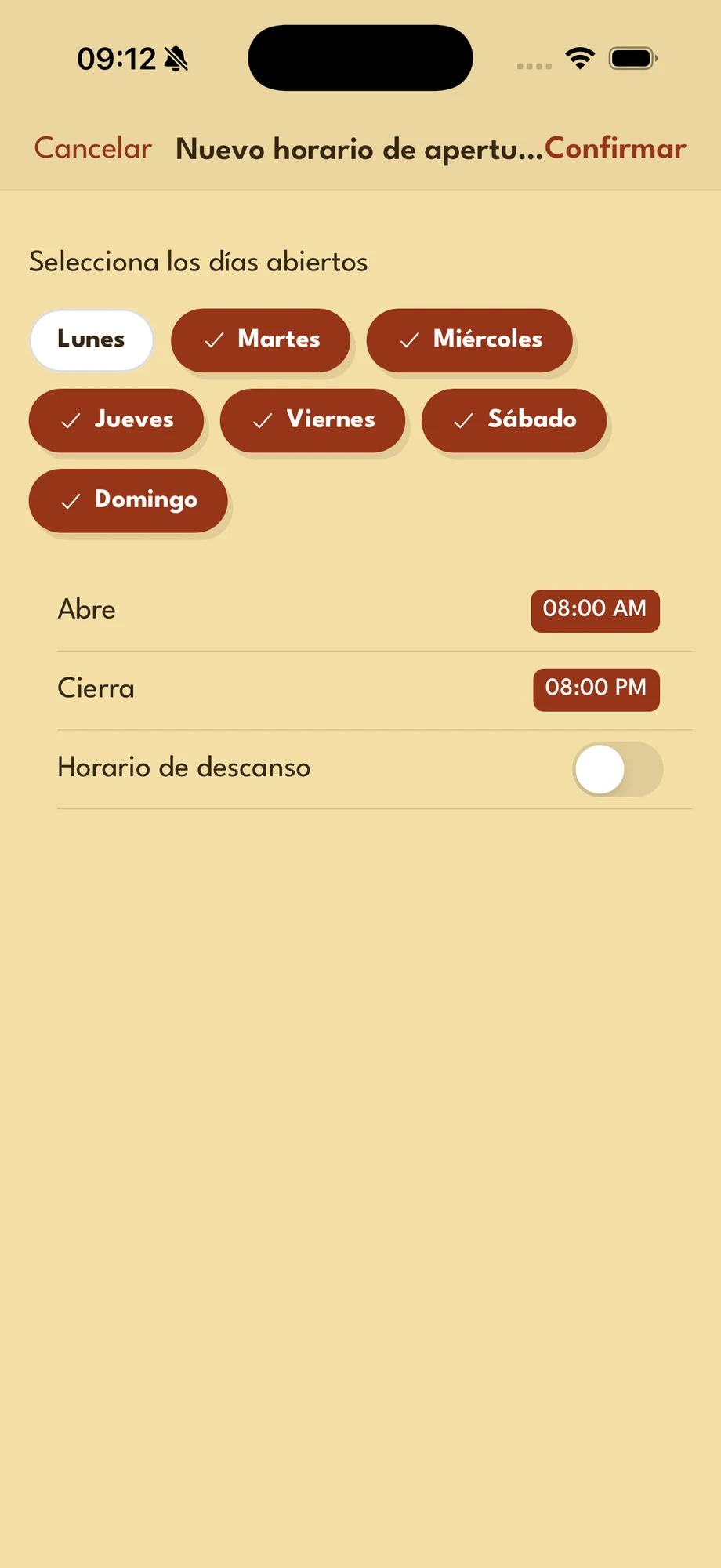
Tap Add opening day and this window opens:
- Days — tap the days that share the same hours. You can pick several at once.
- Open and Close — tap each time to change it.
- Break hours — turn it on if you close at midday, and set when the break starts and ends.
- Confirm — top right, saves the hours.
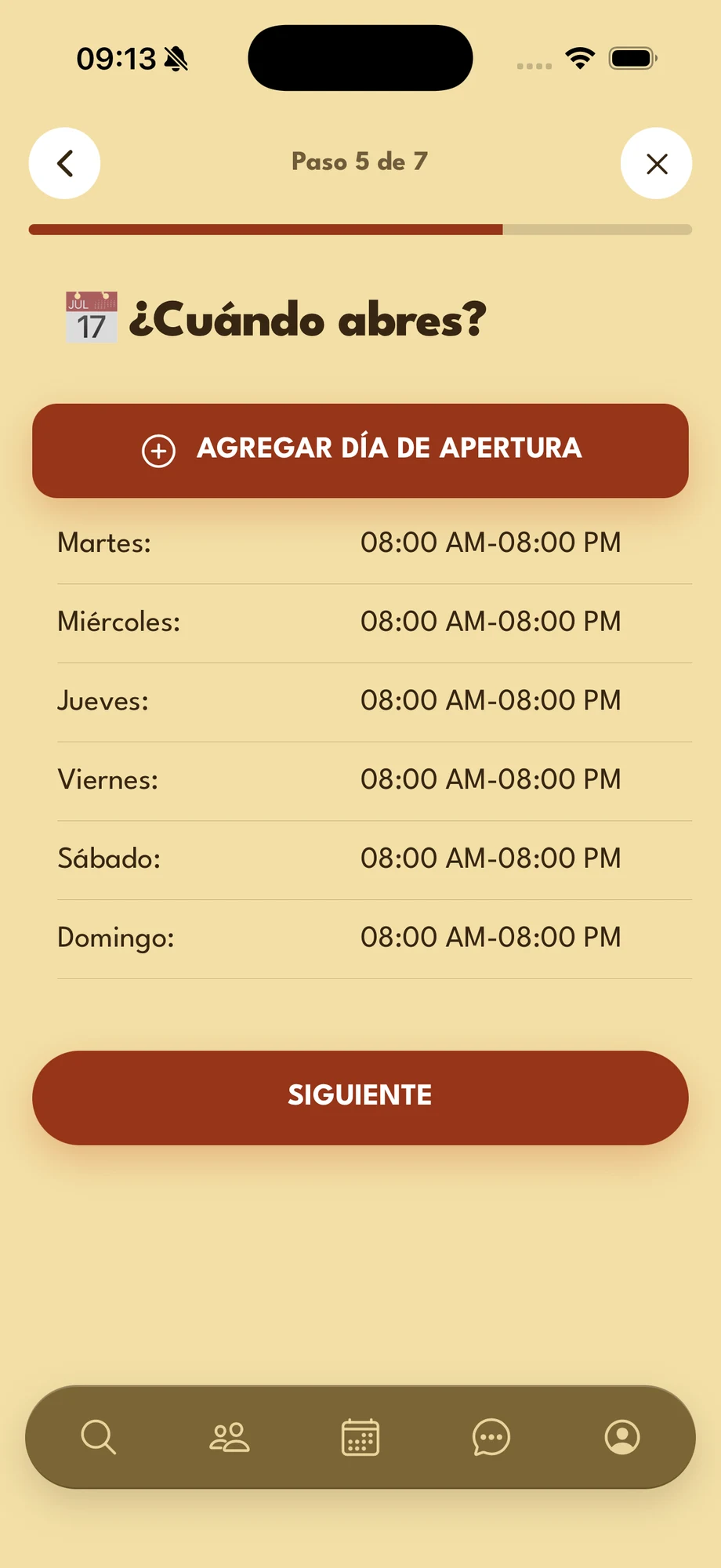
Your hours show up in the list.
- Different hours at the weekend? Tap Add opening day again and pick the remaining days.
- To change a day, swipe its row to the left, tap Delete and add it again.
Once all your days are in the list, tap Next.
-
Step 6 of 7
Your venue photo
It is the main image of your page: the first thing influencers see.
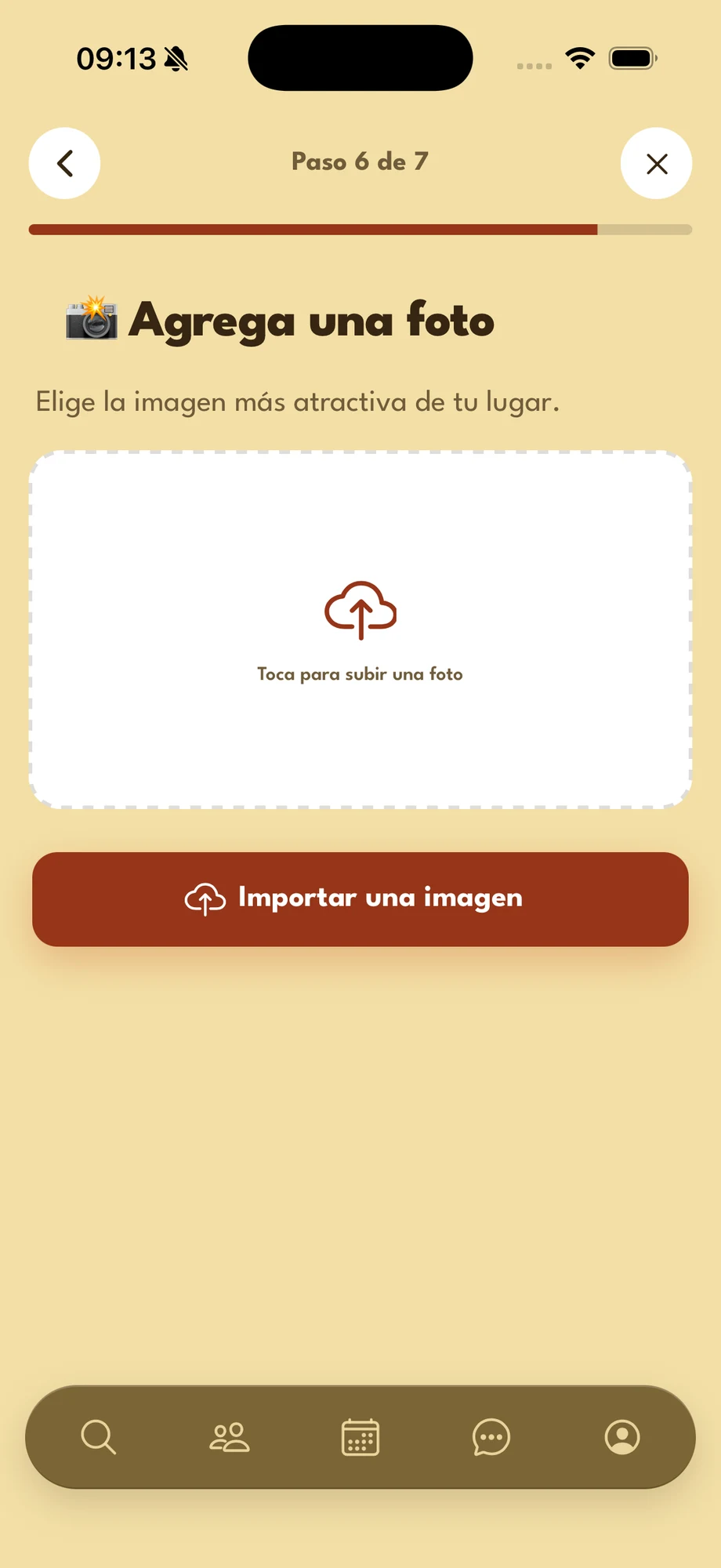
- Import a picture — tap the button or the dotted area and pick a photo from your gallery.
- Which photo — landscape, well lit, showing your place, your signature product or the atmosphere.
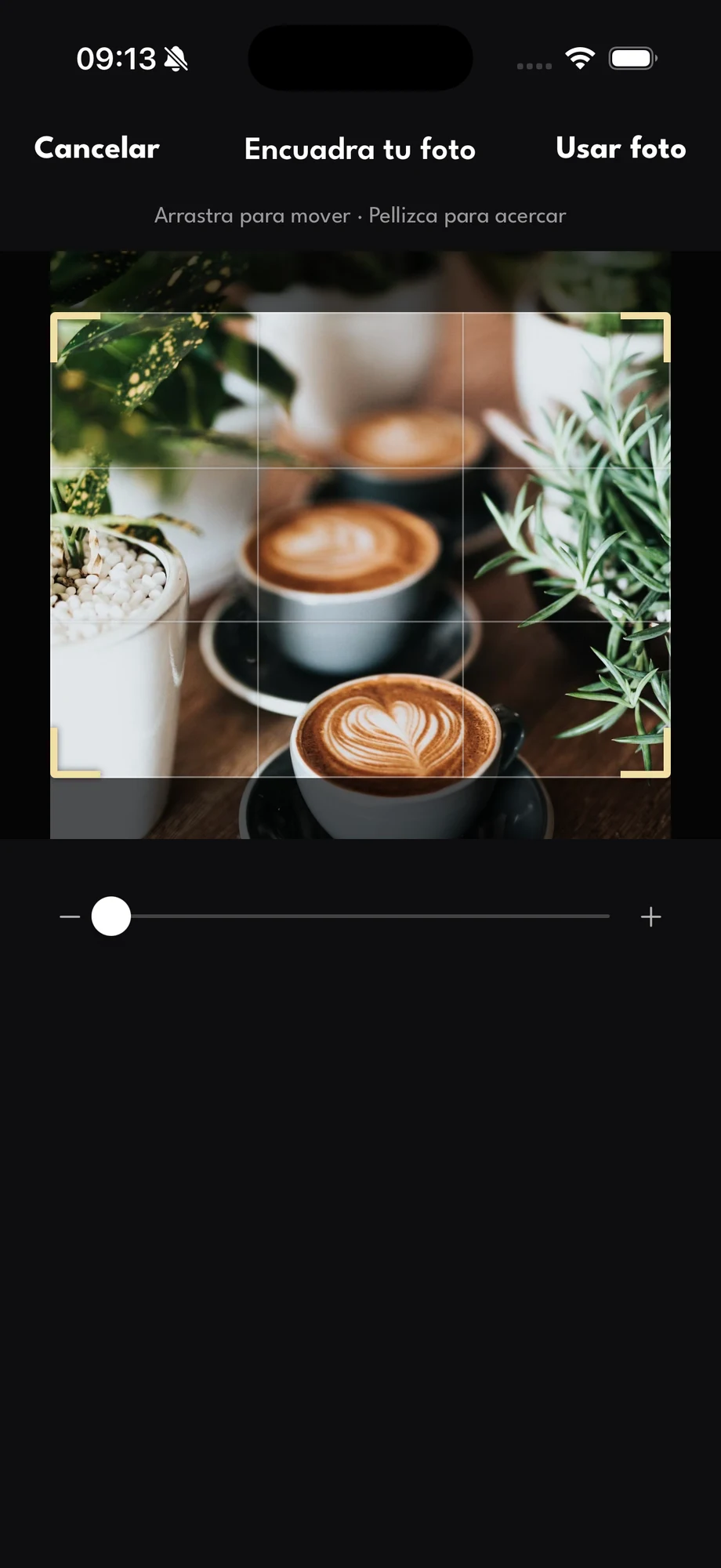
Then you frame it:
- Frame your photo — drag to move the photo, and pinch or use the bar to zoom. What stays inside the frame is what people will see.
- Use photo — saves the framing and brings you back here to see the result.
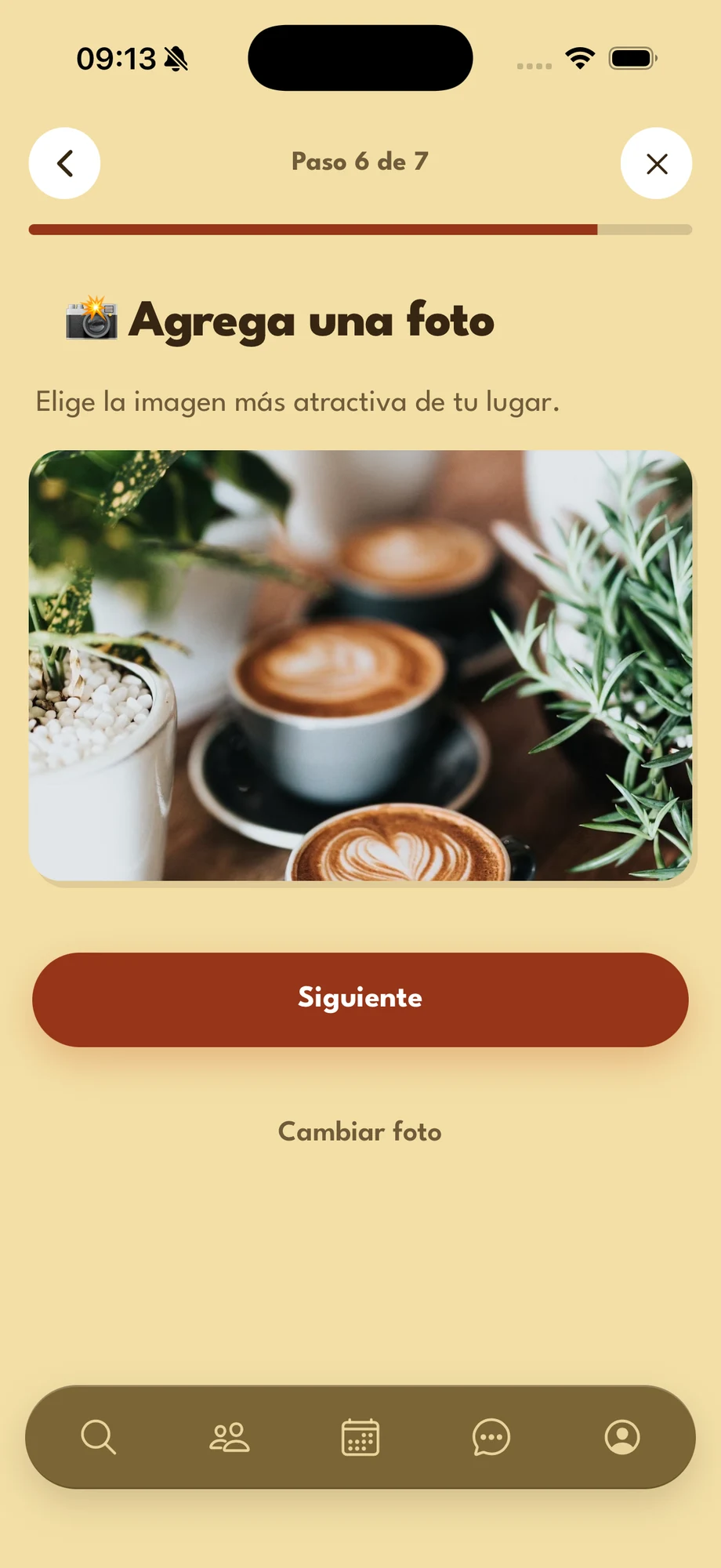
You come back with your photo:
- Next — moves on to the last step with this photo.
- Change photo — pick another photo and frame it again.
The frame is landscape (4:3): a portrait photo loses its top and bottom.
-
Step 7 of 7
Save your venue
Last step: your venue is created when you tap Save venue.
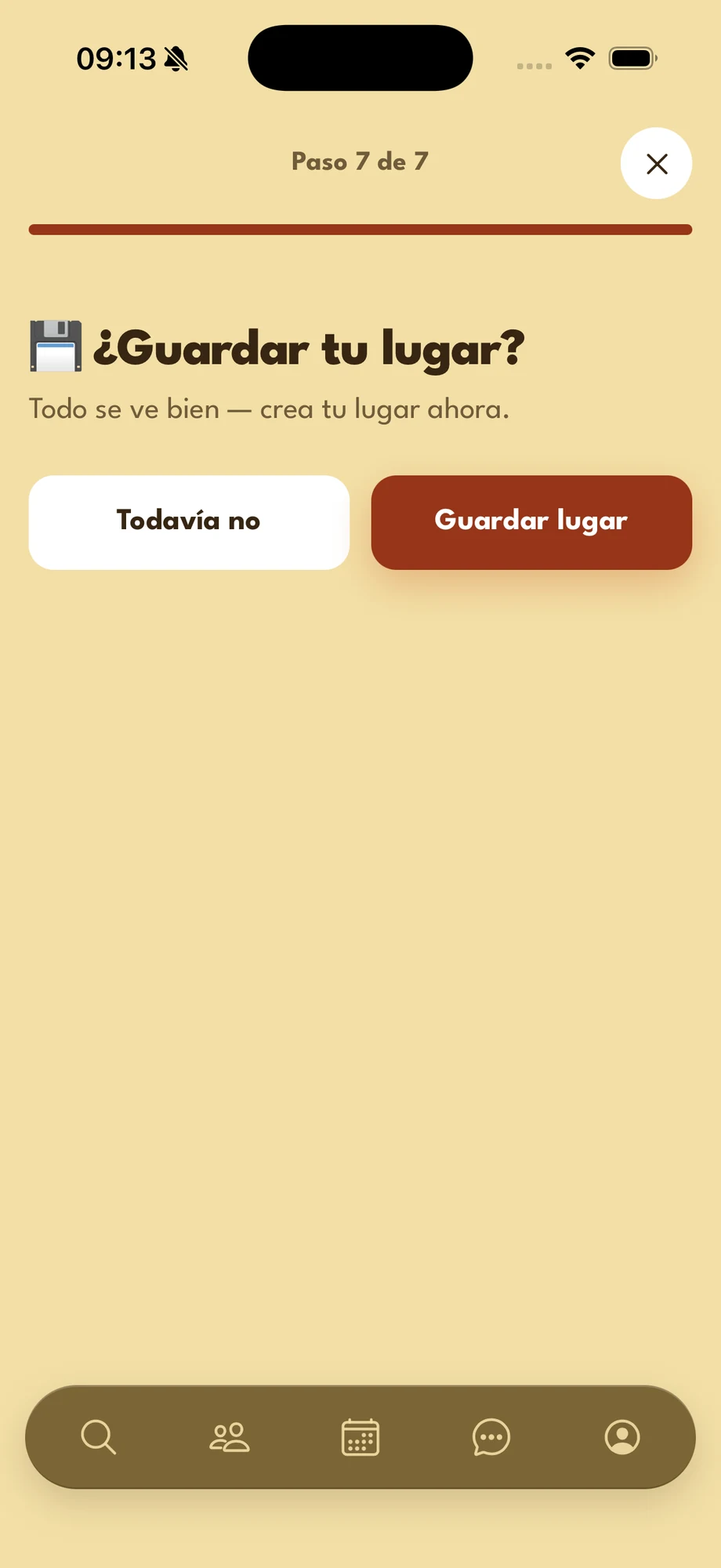
- Save venue — creates your venue with everything you filled in and takes you back to the home screen.
- Not yet — leaves without creating the venue.
If the photo could not be uploaded, everything else is saved: add it later from your venue page.
Stuck on a step?
Write to us and we will help you finish setting up your venue.